Pet Portraits by
Sally Jane Photographic Art
Beautiful Images Painted by CameraAll images mounted and ready to frame.
Prices from £50Visit www.sally-jane.com
Flickr

Showing posts with label Web Publishing. Show all posts
Showing posts with label Web Publishing. Show all posts
10 November 2009
New Blog
I now have a blog on my web site. It taken me a long time to work out how to do it but I think I've finally got it working. All I need now are some bloggers. Mind you, it's mainly there so visitors to my web site can make comments and suggestions although I think I need to improve links and access as I'm not sure many people will find it. Still, it's a start.


14 September 2009
New Web Sites
I now have 3 satellite web sites supporting my main site at www.sally-jane.com One purely for pet portraiture which is http://www.petportraitsbysally-jane.co.uk/index.html, one purely for pet cards here www.petportraitsbysallyjane.co.uk and one for other forms of photography including human portraiture and still life images here www.sally-jane.co.uk
As the new sites were purpose built rather than simply evolved like my main site, I am hoping they will be easier for viewers to navigate. The main web site needs some work to tidy it up as it has turned into a sprawling mass of pages but I don't want to lose any inbound links so weeding out the rubbish won't be easy. Any tip would be welcome.
As the new sites were purpose built rather than simply evolved like my main site, I am hoping they will be easier for viewers to navigate. The main web site needs some work to tidy it up as it has turned into a sprawling mass of pages but I don't want to lose any inbound links so weeding out the rubbish won't be easy. Any tip would be welcome.
11 September 2009
Sally Jane Photographic Art video
I thought about this long and hard before I finally managed to pluck up the courage to make this video but I was assured by my friend, Mike, of MKlink.com that YouTube ads are a good way to increase sales. Umm, lets hope so. As you will see by the heavy swallowing, I found speaking to a camera felt very strange and unnatural.
09 May 2008
Brac goes live on YouTube
I have now set up a YouTube account where I shall be uploading videos of Brac from time to time. There are two on there at present but I'm sure I'll soon have a few more to add. You can see them here.
21 February 2008
Adobe Photoshop Tutorials
So what have I been up to recently? Well I guess it's all a bit sad really because it's not been anything wildly exciting that has kept me away from blogging like a wonderful holiday or moving house. No I've been here all along but I've been working on my web site in my spare time and by the time I'm finished I've just had enough of typing. Why, well I'm adding a series of tutorials to my web site on Adobe Photoshop. I use it as the main tool after my camera, for creating my pet portraits and as such I've built up quite a lot of working knowledge about it. Many people keep asking me how I do this or how I do that when they see my work so instead of simply repeating myself over and over I've started to write it all down. It will take me years to finish, if I ever do, but that's OK, I'll just keep adding more tutorials as I get around to it. If you are interested in knowing how to use the most comprehensive images editing software available then do check out my web site. If you don't find what you are looking for today, try again in a few days time, or, alternatively, ask me what it is you would like to know and I'll add it to my list and discuss it in a tutorial as soon as I can.
Similarly, if you have any trouble using the site do let me know so I can fix it.
Similarly, if you have any trouble using the site do let me know so I can fix it.
31 January 2007
Lynx Viewer
 This is a very useful web site if you build your own web pages. It allows you to see your pages the way search bots see it. All you do is type your url into the search field and it displays your page as it would be seen by the robots. Anything that is not visible to you is not seen by them. Load up your home page and then see how easy it is to navigate round your site. If you can't easily get from one page to the next and back again because your links are hidden in images then neither can the search bots. This system easily shows up problems that might otherwise get overlooked. You do have to prove you own the site before it will work but that is simply a matter of creating a blank page with a given heading and uploading it. It's totally free and recommended by Google. Just click on the logo or this blog title.
29 November 2006
e-mail Address Encoder
 If you have your e-mail address published as a live link on your web site (assuming you have one) chances are you are being swamped by spam e-mails. I know I have been! Well, thanks to West Bay Web Internet Publishing that may be fixable. I say maybe because I have only just found out about them and it may take a while before I realise the effectiveness of this. What they offer is a free service whereby you type in you address and it provides you with an encoded version as a source code. Copy this code and use it to replace the e-mail address in your web site html code. It will look the same but it is apparently unusable by spamming programs.
27 November 2006
Bookmark Icons
Ever wondered how you can get your web site to show those neat little icons in front of the url i n the browser search bar or with the page title when the page is bookmarked? The 'blogger' logo on this site for instance that is sitting in your browser search field. Well if you are prepared to fiddle a little you can have your own one on your web site too.
First you will need a small program that creates icons. I use a piece of free software called PixelToolbox that quickly creates icons from any jpeg image on your hard drive. Save the icon to your local web site file as "favicon.ico".
Now open up your web editing software and display your index page. You will need to go into html mode to edit the code.
Copy this piece of code -
This code will need to be placed into the head section on your web page. I.e. after the opening head tag and before the closing head tag. This section of code must be enclosed with <>. (I could not include the opening and closing brackets with the code because Blogger would not allow it.)
If your icon file is not in your images file then you will need to go to your properties dialogue box to locate the file or type the path direct into the code.
Save your page and up-lode it together with your icon and hey presto, your icon should appear in the search bar when displaying your site.
 n the browser search bar or with the page title when the page is bookmarked? The 'blogger' logo on this site for instance that is sitting in your browser search field. Well if you are prepared to fiddle a little you can have your own one on your web site too.
First you will need a small program that creates icons. I use a piece of free software called PixelToolbox that quickly creates icons from any jpeg image on your hard drive. Save the icon to your local web site file as "favicon.ico".
Now open up your web editing software and display your index page. You will need to go into html mode to edit the code.
Copy this piece of code -
link rel="shortcut icon" href="/Images/pet-portraits/favicon.ico" type="image/x-icon" /
This code will need to be placed into the head section on your web page. I.e. after the opening head tag and before the closing head tag. This section of code must be enclosed with <>. (I could not include the opening and closing brackets with the code because Blogger would not allow it.)
If your icon file is not in your images file then you will need to go to your properties dialogue box to locate the file or type the path direct into the code.
Save your page and up-lode it together with your icon and hey presto, your icon should appear in the search bar when displaying your site.
15 November 2006
Search Engine Optimization
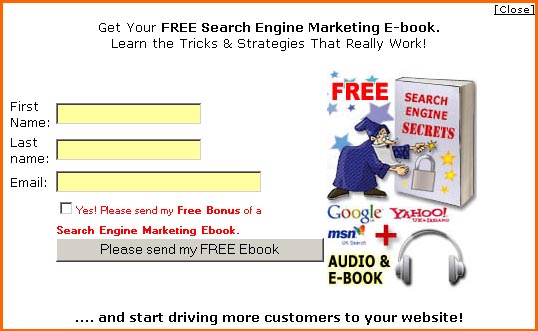
I've been doing a lot of research into search engine optimization (SEO) recently to try to boost my web site ranking. You can of course spend a fortune hiring the services of a professional to do it for you but I much prefer doing these things myself. This can sometimes be a mistake but I'm going to go there anyway. I have, however, just been given a big helping hand in the form of a free 56 page e-book called Search Engine Secrets. If you click on the title above it will take you to a web site offereing SEO services. You are presented with a pop-up window where you can register to be e-mailed the e-book. It will prompt you to also register for a free 25 minute councelling service but you don't need to complete this to get the book.
A friend of mine recommended it to me and sure enough the book is full of useful tips. It is easy to read and the steps that are recommended in the book are generally quite straight forward to implement. It doesn't guarantee over night success but it will certainly point you in the right direction.
A friend of mine recommended it to me and sure enough the book is full of useful tips. It is easy to read and the steps that are recommended in the book are generally quite straight forward to implement. It doesn't guarantee over night success but it will certainly point you in the right direction.
16 February 2005
StatCounter Free invisible Web tracker, Hit counter and Web stats
StatCounter Free invisible Web tracker, Hit counter and Web stats
This seems to be a useful piece of free software for anyone interested in learning the success of their site. I've installed it on this blog site just for fun but if your business has a web site then knowing how many hit it is getting and what pages are being viewed is vital. Some domain hosts provide this service free but others don't. If yours doesn't then you could find this very useful.
This seems to be a useful piece of free software for anyone interested in learning the success of their site. I've installed it on this blog site just for fun but if your business has a web site then knowing how many hit it is getting and what pages are being viewed is vital. Some domain hosts provide this service free but others don't. If yours doesn't then you could find this very useful.
Subscribe to:
Posts (Atom)